Introducing Recto
An actor reaches the climax of a monologue. Above the stage, the surtitles keep pace word for word — the translation arriving exactly as each line lands. The text is following the human, not the other way round.
That sounds simple until you remember what live performers actually do: they pause, paraphrase, skip a line, maybe even double back to fix a fluffed line. And the speech recognition listening in is itself imperfect. A naïve “match the next word” approach falls apart in the first ten seconds.
This is the problem Recto exists to solve, and this post is about how it does it with a small, sharp engine you can drop into your own app.
What is Recto?
Recto is a Swift package providing the shared script-following engine used by two Strange Magic apps:
- Quarto (in development): a macOS-based surtitle engine
- Lilt (in App Review): an iOS teleprompter app.
Recto contains the script model, the matcher, and an on-device speech recognition service — the common foundation extracted from both apps once it became clear they were solving the same problem twice.
The name fits the family: a recto is the right-hand page of an open book, the side a reader’s eye falls on first. It sits alongside Strange Magic’s other bibliographically named tools (Lilt was developed under the code name Octavo).
What makes Recto useful is as much what it leaves out as what it includes. There is no UI, no persistence, and no audio-capture pipeline. Consuming apps own all of that. Recto is a pure logic layer, which is exactly why two very different apps can share it.
The shape of the API — five types
The whole public surface is five top-level types:
| Type | Role |
|---|---|
ParsedScript | Sendable value type holding tokenised script data |
ScriptParser | Stateless parser that produces a ParsedScript |
ScriptTracker | @MainActor @Observable matcher; advances a cursor as transcripts arrive |
SpeechService | Actor wrapping SpeechAnalyzer + SpeechTranscriber |
AudioBufferConverter | Helper to convert AVAudioPCMBuffer → CMSampleBuffer |
Five top-level types, plus a handful of small supporting values (DisplayWord, ModelState, SpeechServiceError) you’ll meet in passing. They line up into a single pipeline, from microphone to on-screen cursor:
Matching — the part that matters
ScriptParser.parse(_:title:) tokenises the script into two parallel streams: displayWords, which keep the original case and punctuation for rendering verbatim, and normalisedWords — lowercased and punctuation-stripped — used purely for matching. Display-only tokens such as speaker names and stage directions carry a nil matchIndex, so they’re shown to the reader but never matched against speech. That decoupling is what lets a real script render faithfully while the matcher ignores everything a performer won’t actually say aloud.
The matcher itself is ScriptTracker, and its design is the interesting bit. On each transcript it looks only at the last ~80 characters of the cumulative text, so it ignores long preambles and stays cheap to call on every update. It then runs cascading probes against a sliding look-ahead window: a 3-word probe first, falling back to two words, and — optionally — a single word via allowSingleWordFallback. Crucially, the cursor is forward-only: a transcript that drifts backwards never drags the cursor back. For live surtitles that property is non-negotiable — regressing in front of an audience is far worse than briefly waiting.
The test suite captures the behaviour plainly:
@Test func `the cursor does not move backwards when a later transcript drifts back`() {
    let tracker = makeTracker()
    tracker.consume(transcript: "fox jumps over")
    let advanced = tracker.currentMatchIndex
    tracker.consume(transcript: "the quick brown")
    #expect(tracker.currentMatchIndex == advanced)
}
When you read the cursor for your UI, use currentDisplayIndex — the position into displayWords that should be highlighted.
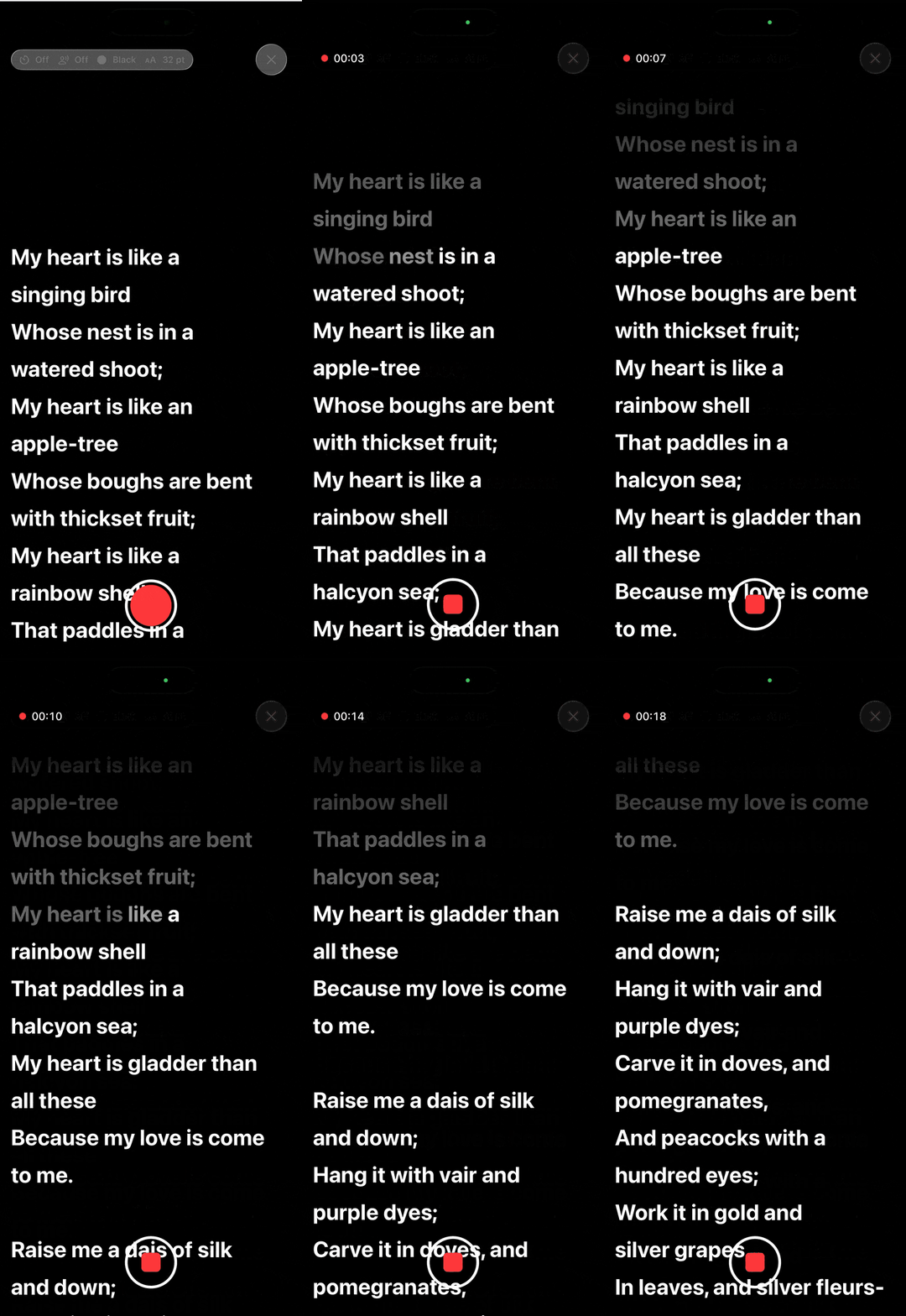
Two apps, two configurations
The same engine flexes to two quite different jobs, tuned by a couple of parameters. Quarto’s surtitles match strictly, because a wrong jump is glaringly visible to an audience. It has a negative offset so that the surtitle doesn’t display straight away. If it did, it would be perceived as the surtitles jumping ahead of the performer.
let tracker = ScriptTracker(
    script: ScriptParser.parse(script.rawText, title: script.title),
    offset: -1,
    lookAheadWindow: 8,
    allowSingleWordFallback: false   // Stricter matching for surtitles.
)
Lilt’s autocue is more forgiving — the priority is keeping the reader moving. In this case, the cursor offset is positive so that the autocue shows the reader what is coming next.
let tracker = ScriptTracker(
    script: parsedScript,
    offset: 1,
    lookAheadWindow: 10,
    allowSingleWordFallback: true
)
Both are the configurations the real-world apps actually use. One engine, two behaviours, no forks.
The power of saying no
Recto’s restraint is deliberate. Its documentation is blunt about the matcher’s tuning:
The 3 / 2 / 1-word probes and the 80-character transcript tail are tuned from empirical use in the sibling apps and should not change without evidence from real usage.
No fuzzy matching, no ML models, no speculative probe strategies — just numbers earned in production. That confidence comes from pedigree: Recto wasn’t designed in a vacuum, it was extracted from two apps with genuine, measurable usage.
Swift 6 concurrency, done deliberately
Even if you never touch surtitles, Recto is a tidy example of getting strict concurrency right. The package builds with main-actor-by-default isolation (.defaultIsolation(MainActor.self)), and each type’s isolation is a design choice rather than an accident. ParsedScript is fully Sendable, so a parsed script crosses isolation domains freely. ScriptTracker is @MainActor-isolated and intentionally not Sendable — it models SwiftUI view state, and pretending otherwise would be a lie. SpeechService is an actor whose transcripts and errors streams are nonisolated, so you can iterate them from anywhere while the actor protects its own state.
Getting started
Add Recto via Swift Package Manager:
dependencies: [
    .package(url: "https://github.com/strangemagicapps/Recto.git", from: "0.1.5"),
],
targets: [
    .target(name: "MyApp", dependencies: ["Recto"]),
]
Recto targets iOS 26 / iPadOS 26 / macOS 26, built with the Swift 6.3 toolchain in Swift 6 language mode. tvOS and visionOS are also supported, since Apple’s SpeechRecognizer and SpeechAnalyzer also support those platforms. It leans only on system frameworks — Foundation, Speech, AVFoundation — with no third-party dependencies. The full API reference and the matcher’s rationale live in the DocC catalogue.
It’s early days: Recto is 0.1.5, MIT-licensed, and the API is still stabilising as Quarto and Lilt co-develop against it.
In closing
Recto keeps a cursor glued to the spoken word, in real time and entirely on-device. If you’re building anything speech-driven — autocue, surtitles, accessibility tooling, live captioning — it’s a small package worth a look.
- Repository: github.com/strangemagicapps/Recto
- Apps: Quarto (macOS surtitles) and Lilt (iOS autocue)
Try it, star it, or tell me what live-performance problem you’d point it at.